
Step 1.Visit Edulink https://www.edulinkone.com/
Step 2. Enter the the code "Harington"
Step 3. Click the Reset Login button
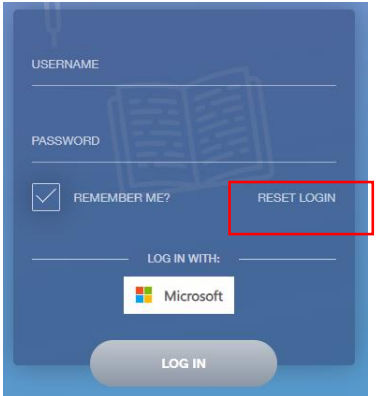
Step 4. Enter your email address that is registered with the School and check your email provided and use the link to reset your password.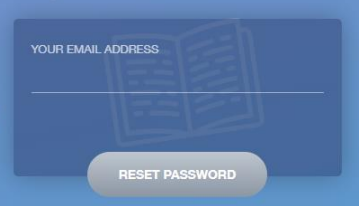
Step 5. Get the App!
Apple App Store: https://itunes.apple.com/gb/app/edulink-one/id1188809029?mt=8
Google Play Store: https://play.google.com/store/apps/details?id=com.overnetdata.edulinkone&hl=en_GB
Amazon Kindle: https://www.amazon.co.uk/Overnet-Data-Ltd-EduLink-One/dp/B07K6MP8KG/